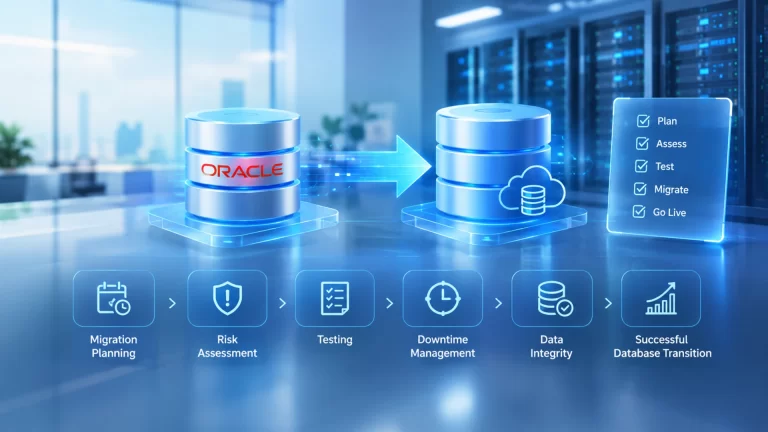
Oracle Data Guard keeps one or more standby copies of your production database in sync with the primary. If the primary fails, a standby takes over. It gives you high availability, disaster recovery, and data protection in a single, proven Oracle feature.
For any business that runs finance, manufacturing, logistics, or SAP workloads on Oracle, Data Guard is one of the most dependable ways to avoid costly downtime and data loss.
What Is Oracle Data Guard?
Oracle Data Guard is a built-in technology of Oracle Database. It creates and manages standby databases that mirror your production system. Think of a pilot and a co-pilot. Both know the flight plan, both watch the instruments, and the co-pilot can take the controls instantly if needed.
Data Guard protects against three main threats:
- Hardware and site failures: server crashes, storage faults, power cuts, fires, and floods
- Human error: accidental deletes, bad updates, and faulty deployments
- Data corruption: physical block corruption that can silently damage records
Oracle’s own Data Guard documentation describes the technology as a way to ensure high availability, data protection, and disaster recovery for enterprise data.
How Oracle Data Guard Works
The mechanics are simpler than most people expect. Four building blocks do the work.
1. The primary database. Your live production database. Users and applications connect here.
2. One or more standby databases. Copies of the primary, usually hosted in a separate data center or cloud region.
3. Redo transport. Every change in Oracle generates redo data, a record of what changed. Data Guard ships that redo from the primary to each standby automatically.
4. Redo apply. The standby receives the redo and applies it, so the copy stays current with the primary.
Picture a live news broadcast with a mirrored studio in another city. Every word spoken in the main studio streams across instantly, so the backup team can go on air at a moment’s notice.
Types of Standby Databases
Data Guard offers three standby types. Each one serves a different purpose.
- Physical standby: A block-for-block copy of the primary. It is the most common choice because it offers the strongest protection and the simplest management.
- Logical standby: Stays in sync by applying SQL statements. It stays open for reporting and allows some structural differences from the primary.
- Snapshot standby: A temporary, updatable copy for testing. When testing ends, it converts back to a normal standby and catches up.
Most enterprises begin with a physical standby. Teams add other types as needs grow.
Protection Modes: Choosing Your Safety Level
Every business balances two goals: no data loss and fast performance. Data Guard lets you choose where to sit on that scale through three protection modes.
| Mode | Data Loss Risk | Performance Impact | Best For |
| Maximum Protection | Zero | Highest | Banking, regulated and financial systems |
| Maximum Availability | Zero in normal conditions | Moderate | Most mission-critical enterprise systems |
| Maximum Performance | Minimal, but possible | Lowest | Systems that value speed and can tolerate small gaps |
Maximum Protection will stop the primary if it cannot confirm that redo has reached a standby. Nothing is lost, but availability can suffer.
Maximum Availability provides zero data loss as long as the standby is reachable. If the standby becomes unreachable, the primary keeps running instead of stopping.
Maximum Performance ships redo asynchronously. Users never wait on the standby, though a failure at the wrong moment could lose a few seconds of data.
Most organizations land on Maximum Availability. It protects data without putting uptime at risk.
Switchover vs Failover: Know the Difference
People often mix up the two terms. The difference matters during a real incident.
Switchover is a planned role change. Primary and standby swap places with no data loss. Teams use it for maintenance, patching, and hardware upgrades. Downtime shrinks from hours to minutes.
Failover is an unplanned role change. The primary has failed, and the standby takes over. Depending on the protection mode, a failover can complete with zero or minimal data loss.
A good rule of thumb: switchover is a rehearsal you choose, and failover is the real performance you hope never comes. Teams that practice the first handle the second with confidence.
Automating Recovery with Data Guard Broker
Manual failover under pressure invites mistakes. The Data Guard broker reduces that risk. It is a management layer that monitors your configuration, simplifies commands, and coordinates role changes.
With Fast-Start Failover, an observer process watches the primary. If the primary becomes unavailable, the broker can promote a standby automatically, without waiting for an engineer to wake up and respond.
Automation does not remove the need for planning. It turns a stressful, multi-step recovery into a predictable event.
Active Data Guard: Put Your Standby to Work
A standby that sits idle is an expensive insurance policy. Oracle Active Data Guard (a separately licensed option) lets the standby stay open for read-only queries while it keeps applying redo.
Common uses include:
- Running reports and analytics without slowing production
- Offloading read-heavy workloads from the primary
- Supporting backups from the standby
- Detecting and repairing corrupted blocks automatically
Your standby stops being a cost and starts delivering business value every day.
Data Guard vs Oracle RAC: Complementary, Not Competing
Many teams ask whether they need Real Application Clusters (RAC) or Data Guard. The two solve different problems.
- RAC protects against server or instance failure inside one data center. Several servers share one database.
- Data Guard protects against site-level disasters and data corruption by maintaining a separate copy elsewhere.
RAC keeps you running when a server fails. Data Guard keeps you running when the whole building does. For true mission-critical systems, the two work best together, and Oracle’s Maximum Availability Architecture recommends combining them.
Best Practices for a Resilient Data Guard Setup
A Data Guard configuration only protects you if it is designed and tested well. Keep these practices in mind:
- Place the standby far enough away. A site in the same flood zone or power grid offers little protection.
- Size your network for peak redo. Slow redo transport creates lag, and lag creates data loss risk.
- Monitor lag continuously. Track both transport lag and apply lag with alerts.
- Test switchovers regularly. Run drills at least twice a year and document the results.
- Protect the application tier too. A healthy standby helps little if applications cannot find it. Configure client failover and connection settings.
- Keep backups separate. Data Guard is not a backup. Logical errors replicate, so maintain independent backups.
- Patch with care. Use rolling maintenance approaches so patching does not become an outage.
Common Mistakes to Avoid
Even experienced teams stumble. Watch for these traps:
- Building it and forgetting it. An untested standby is an assumption, not a plan.
- Ignoring the network. Bandwidth and latency decide how well redo transport performs.
- Choosing the wrong protection mode. Teams either overpay in performance or underprotect critical data.
- Skipping the runbook. Unclear roles and steps slow every recovery.
- Treating DR as an IT-only topic. Business leaders should define acceptable downtime and data loss. Two measures guide those choices: Recovery Time Objective (RTO) and Recovery Point Objective (RPO).
Where Data Guard Delivers the Most Value
Data Guard fits a wide range of industries:
- Manufacturing: Keeps SAP and shop-floor systems running through site disruptions
- Banking and financial services: Meets strict data protection and audit expectations
- Healthcare: Safeguards patient and operational records
- Retail and logistics: Protects order, inventory, and supply chain data during peak seasons
Wherever the database drives revenue, Data Guard is worth serious consideration.
How EDCS Can Help
Designing a resilient Oracle environment takes experience. Mistakes tend to surface at the worst possible moment. Expora Database Consulting Services Pvt. Ltd. brings more than a decade of experience in enterprise consulting, and as a certified Oracle Partner, the team helps organizations protect their most important data.
Through its Database and Infrastructure services, EDCS supports you at every stage:
- Assessment: Review your current setup, recovery objectives, and risk exposure
- Architecture design: Choose the right standby types, protection modes, and network design
- Implementation: Build and configure Data Guard, including broker and Fast-Start Failover
- Testing and validation: Run switchover and failover drills to prove your recovery plan works
- Monitoring and support: Keep your configuration healthy with continuous oversight
- Integration with SAP landscapes: Protect SAP workloads that depend on Oracle databases
EDCS has done the work in real environments. In one disaster recovery implementation for SAP ECC on Oracle Exadata, the team supported a leading chemicals and fertilizers company running a mission-critical SAP environment on an Oracle RAC database. You can explore more stories on the EDCS case studies page.
Planning an SAP move as well? EDCS is also a SAP Silver Partner, so we can plan database protection and SAP strategy together. For more practical guidance, visit the EDCS blog.
Key Takeaways
- Oracle Data Guard maintains synchronized standby databases for high availability and disaster recovery.
- Three protection modes let you balance data safety against performance.
- Switchover handles planned changes. Failover handles unplanned outages.
- Data Guard broker and Fast-Start Failover reduce human error during incidents.
- Active Data Guard turns an idle standby into a working asset.
- Testing and monitoring matter as much as the initial setup.
Ready to Protect Your Mission-Critical Databases?
Do not wait for an outage to find the gaps in your recovery plan. Whether you are starting from scratch or strengthening an existing setup, EDCS can help you build a database environment that stays online when it matters most.
Talk to an EDCS Database Expert Today and get a clear, practical roadmap for high availability, failover, and disaster recovery.